For owner-operated trades and home-service businesses

Make your business easier to hire.

Keep what works. I fix the customer-facing gaps and add only what your business actually needs, from calls and texts to quotes, payments, reviews, Google and your website.

No giant system. No one-size-fits-all setup. Just a practical first look and a clear next step.

What happens when a customer reaches out

Customer calls or texts
If you miss it, an automatic reply goes out
Quote gets approved
Customer pays
Review request sent

What The Pro Setup fixes.

Calls & texts

Business phone, voicemail, texting and missed-call replies.

Quotes & payments

Professional quotes, approvals, deposits and easy ways to pay.

Google, website & email

Clean up what you have or build what’s missing.

Reviews & follow-up

Review requests and simple follow-up, set up so you don’t have to remember every time.

How it works.

1

Free First Look

Send the basics and show me what feels messy.

2

Clear recommendation + price

I recommend the smallest useful fix and show you the price and ongoing costs.

3

I set it up

You provide the basic information and approvals. I handle the setup, wording and testing, then show you how to use it.

Wes Robertson, founder of The Pro Setup
Wes Robertson Founder, The Pro Setup

Work directly with Wes.

I’ve spent years in business operations, real estate and renovation finding where work gets stuck and making it simpler.

Now I help small trades improve the customer side of the business, from the first call or text through quotes, payments and follow-up.

About Wes

One example setup.

See one possible setup in action.

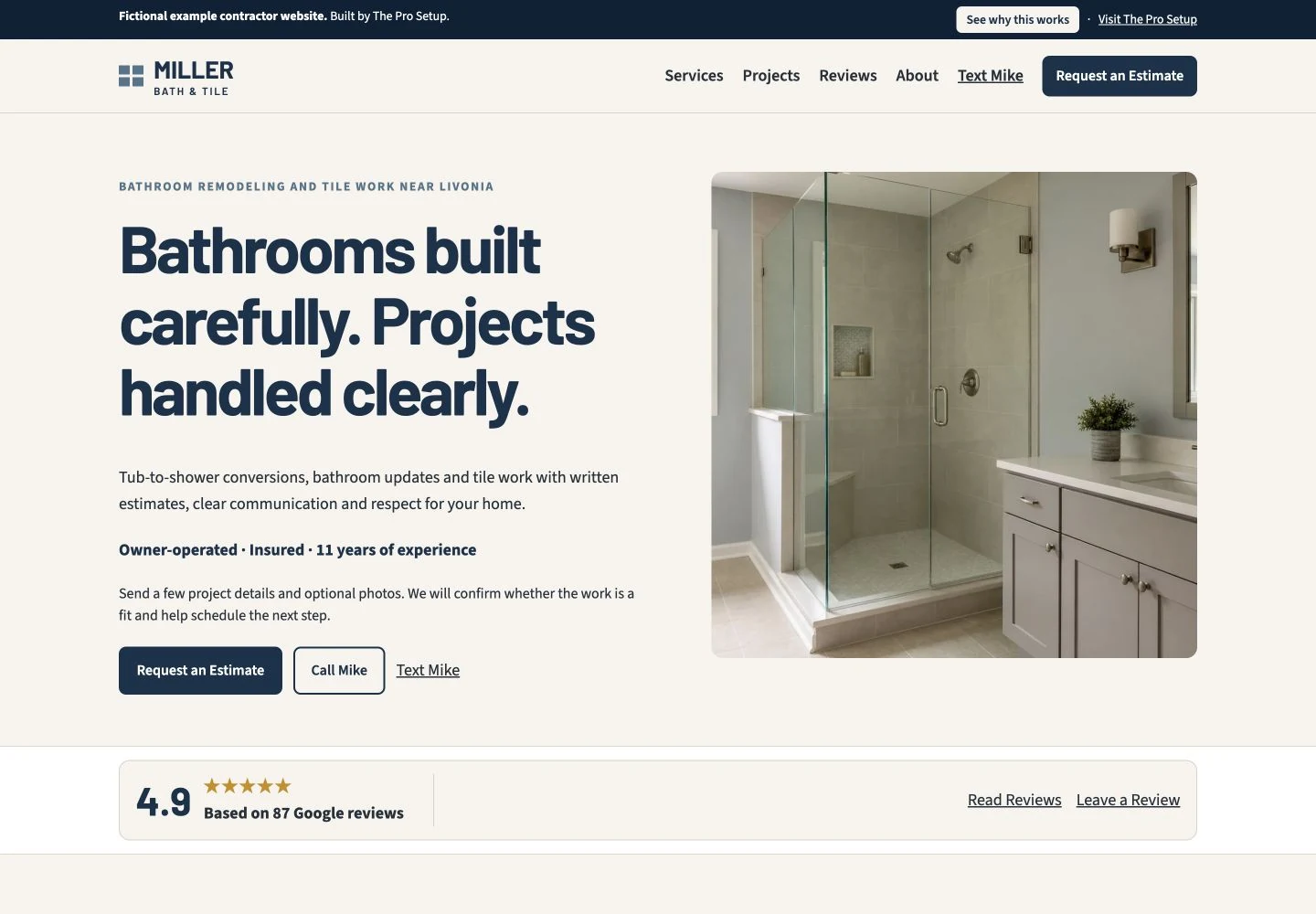
This fictional contractor example shows one way the customer side can work together. Some businesses need a new website. Others only need help with calls, Google, quotes, payments or follow-up.

Fictional example contractor site
Miller Bath & Tile fictional contractor website example

What does it cost?

Fix one thing or get the whole setup handled. You only pay for what your business actually needs.

Small Fix

Usually $95–$295

One clear problem.

  • Professional business email around $95
  • Google Business Profile cleanup around $195
  • Quotes + payments setup around $195
  • Business phone setup with calling, voicemail, customer texting and missed-call replies around $250

Setup & Cleanup

Usually $395–$695

A website or a few important things handled together.

  • Business phone + quotes + payments around $395–$445
  • Website refresh usually $395–$595
  • New trade website around $595

Full Setup

Usually $795–$1,295+

Get the main things customers see and use working together.

A full setup can include:

  • Website
  • Google Business Profile
  • Business phone
  • Quotes + payments
  • Professional email
  • Contact form + review-request setup

A typical full solo-pro setup is around $1,195–$1,295.

No required monthly Pro Setup fee. When paid third-party tools are needed, most solo-pro setups are about $15–$35/month, plus normal domain and payment-processing costs. You’ll see every ongoing cost before work starts.

Not sure what you actually need?

Start with a Free First Look. I’ll show you what’s worth fixing, what can stay, and what it would cost.

You may not need a big software system.

If you’re running solo or with a small team and don’t need dispatch, GPS, job costing or multiple crews, a simpler setup may give you everything you actually need.

Comparison of The Pro Setup, all-in-one software, and doing it yourself
Comparison topic The Pro Setup Best for solo & small trades All-in-One Software Jobber + Housecall Pro Do It Yourself
What it costs One-time setup. Most solo pros are only around $15–$35/month in third-party tools afterward. Ongoing subscription. Jobber’s solo plans run about $29–$149/month; Housecall Pro runs about $59–$299/month with annual billing. Phone, AI and other features can cost extra. Lowest upfront cost, but your time goes into choosing, setting up and maintaining everything.
Setup & learning Wes sets it up. Learn only the few things you’ll actually use. You’re setting up and learning a system designed to manage much more of the business. You research, choose, connect and maintain everything yourself.
Calls, texts & missed calls Business phone, voicemail and texting + automatic replies to missed calls, texts and voicemails. Set up for you. Comparable communication gets expensive. Jobber’s two-way SMS + custom automations require Grow; Housecall Pro’s business phone + missed-call automation requires its paid Voice add-on. You choose and configure the phone, texting and automations yourself.
Quotes & getting paid Professional quotes + flexible ways to get paid in person or remotely without another monthly software fee. Strong tools, but they’re tied to the larger paid software system. Some conveniences and features cost extra. You choose and connect the tools yourself.
Website, Google & reviews Your actual web presence gets fixed. Keep what’s good, clean up Google, improve or build the website, and set up reviews as needed. Website and review tools are available, but you’re still buying software built primarily to manage jobs and field operations. You build, optimize and maintain everything yourself.
Scheduling, dispatch & crews Not what The Pro Setup is for. Clear winner. Built for scheduling, dispatch, crews, routing, GPS, job costing and broader operations. Gets increasingly difficult as the business grows.

What it costs

The Pro Setup Best for solo & small trades

One-time setup. Most solo pros are only around $15–$35/month in third-party tools afterward.

All-in-One Software Jobber + Housecall Pro

Ongoing subscription. Jobber’s solo plans run about $29–$149/month; Housecall Pro runs about $59–$299/month with annual billing. Phone, AI and other features can cost extra.

Do It Yourself

Lowest upfront cost, but your time goes into choosing, setting up and maintaining everything.

Setup & learning

The Pro Setup

Wes sets it up. Learn only the few things you’ll actually use.

All-in-One Software

You’re setting up and learning a system designed to manage much more of the business.

Do It Yourself

You research, choose, connect and maintain everything yourself.

Calls, texts & missed calls

The Pro Setup

Business phone, voicemail and texting + automatic replies to missed calls, texts and voicemails. Set up for you.

All-in-One Software

Comparable communication gets expensive. Jobber’s two-way SMS + custom automations require Grow; Housecall Pro’s business phone + missed-call automation requires its paid Voice add-on.

Do It Yourself

You choose and configure the phone, texting and automations yourself.

Quotes & getting paid

The Pro Setup

Professional quotes + flexible ways to get paid in person or remotely without another monthly software fee.

All-in-One Software

Strong tools, but they’re tied to the larger paid software system. Some conveniences and features cost extra.

Do It Yourself

You choose and connect the tools yourself.

Website, Google & reviews

The Pro Setup

Your actual web presence gets fixed. Keep what’s good, clean up Google, improve or build the website, and set up reviews as needed.

All-in-One Software

Website and review tools are available, but you’re still buying software built primarily to manage jobs and field operations.

Do It Yourself

You build, optimize and maintain everything yourself.

Scheduling, dispatch & crews

The Pro Setup

Not what The Pro Setup is for.

All-in-One Software

Clear winner. Built for scheduling, dispatch, crews, routing, GPS, job costing and broader operations.

Do It Yourself

Gets increasingly difficult as the business grows.

Running solo or with a small team? If you mainly need calls, texts, quotes, payments, reviews, Google and a website, The Pro Setup is the simpler fit. Need crews, dispatch, GPS or job costing? An all-in-one system makes more sense.

Competitor pricing checked August 2026 on the official Jobber and Housecall Pro pricing pages. Pricing, promotions, team limits, and add-ons can change.

Questions owners usually ask first.

Is this just a website service?

No. A website may be part of the fix, but The Pro Setup can also help with calls, texts, Google, quotes, payments, reviews and follow-up. You can explore an example contractor setup, but many businesses do not need a full website rebuild.

Do I have to figure out the software myself?

No. I recommend what makes sense, handle the setup and testing, and show you the few things you’ll actually use.

Are there monthly software costs?

Sometimes. Most solo-pro setups are about $15–$35/month in third-party tools, plus normal domain and payment-processing costs. There is no required monthly Pro Setup fee, and you’ll see every ongoing cost first.

Do I have to pay the full amount upfront?

Smaller jobs are usually paid before I start. Larger projects can be split into payments when it makes sense. You’ll see the full project price and payment terms before any work begins.

Find the best place to start.